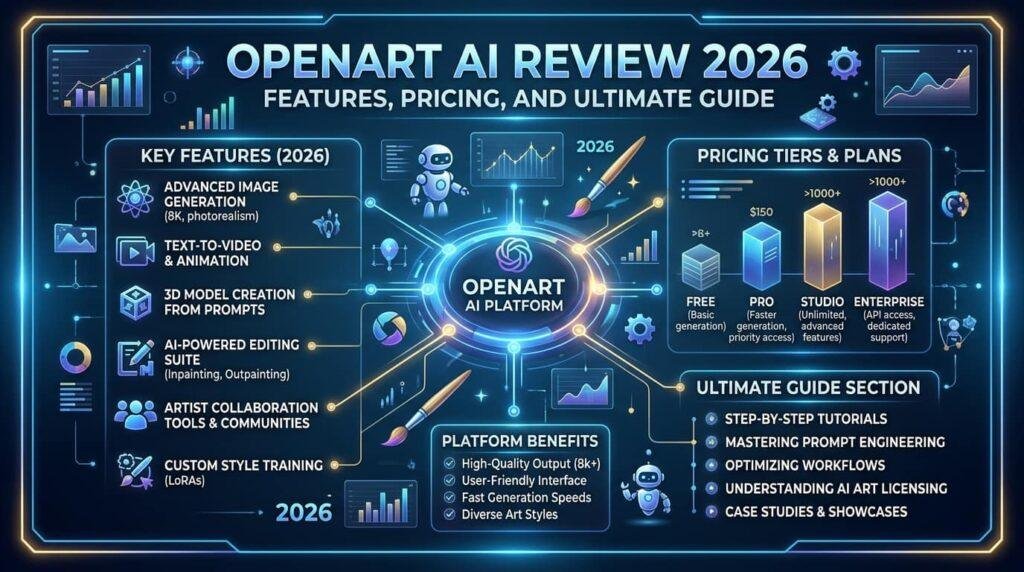

Explore our complete guide to OpenArt AI! Learn about OpenArt AI pricing, free options, features, and key comparison details in this easy 2026 review.
Creating visual content used to take hours of hard design work or high software costs. Today, tools powered by artificial intelligence make artwork creation fast and simple. OpenArt AI is a smart visual creation platform that turns simple text prompts into clean images, videos, and graphics. It combines top open-source generator models—like Stable Diffusion and FLUX—into one clean web interface.When you type a descriptive sentence into the text box, the system processes your words using advanced deep learning algorithms. Within a few seconds, the generator creates several custom picture options. Creators can also upload an existing image to edit details, increase photo resolution, or transform styles instantly.From my experience testing various creative AI tools, platforms with unified dashboards save users plenty of workflow time. Instead of learning separate apps for text-to-image conversion, photo upscaling, and short video clips, openart ai brings those capabilities under one roof.
Detailed Platform Information at a Glance
| Feature Category | Key Details & Specifications |
| Platform Name | OpenArt AI |
| Primary Category | AI Visual Arts & Image Generation Platform |
| Core Models Offered | Stable Diffusion, FLUX, Custom LoRAs, Video Models |
| Starting Price | $7.00 per month (Annual Billing) / $14.00 per month (Monthly) |
| Free Access | Free account with initial trial credits + daily basic generations |
| Key Features | Text-to-Image, Image Upscaling, Inpainting, Model Training, AI Video |
| Commercial Rights | Available on Advanced plan ($14.50/mo) and higher tiers |
| Target Audience | Content creators, digital marketers, graphic designers, hobbyists |
Core Features That Make OpenArt AI Stand Out
One big advantage of this platform is its large toolset. Users do not need complex graphic design training to build striking visuals for websites, social feeds, or personal art collections.
- Text-to-Image Generation: Type a quick description and watch the platform generate detailed art pieces in seconds.
- Image-to-Image Editing: Upload a photo to tweak colors, change art styles, or fix broken visual details seamlessly.
- High-Definition Upscaling: Scale up smaller picture files without losing sharpness or losing crisp details.
- Custom Model Training: Train custom style modules (LoRAs) using your own picture uploads to create brand-consistent images.
- AI Video Generation: Transform still picture files into moving clips or short videos using integrated clip generators.
Understanding OpenArt AI Pricing Plans
Choosing the right subscription depends on how many visual assets you plan to build every month. The system uses a credit-based model where every generation task uses a preset number of account credits.
Here is a breakdown of the standard openart ai pricing structure:
- Free Tier ($0/mo): Gives new accounts 40 initial trial credits and basic daily generations.
- Essential Plan ($7/mo billed annually / $14 monthly): Offers roughly 4,000 credits each month for casual creators.
- Advanced Plan ($14.50/mo billed annually / $29 monthly): Provides ~12,000 monthly credits along with full commercial usage rights.
- Infinite Plan ($28/mo billed annually / $56 monthly): Provides ~24,000 credits for power users and small design teams.
- Wonder Tier ($120/mo billed annually / $240 monthly): A heavy studio subscription supplying ~106,000 credits for massive asset outputs.
+——————————————————————-+
| OPENART AI PRICING STRUCTURE |
+——————-+——————-+—————————+
| Plan Tier | Price (Annual) | Included Credits/Mo |
+——————-+——————-+—————————+
| Free | $0 / month | 40 Trial + Daily Basic |
| Essential | $7.00 / month | ~4,000 Credits |
| Advanced | $14.50 / month | ~12,000 Credits (Commercial)|
| Infinite | $28.00 / month | ~24,000 Credits |
| Wonder | $120.00 / month | ~106,000 Credits |
+——————-+——————-+—————————+
How to Get Started with OpenArt AI Free
If you want to test the tool before spending money, you can start with openart ai free access. Setting up a free account takes under two minutes and requires zero payment details upfront.
First, visit the main site and sign up using an email address or Google account. Once logged in, your account receives free trial credits. You can spend these test credits on basic image prompts, simple style edits, or feature testing.
The free tier works well for learning prompt design and testing art styles. However, keep in mind that free creations cannot be used for commercial business projects. To sell your visual creations or use them in client campaign work, upgrading to a paid tier like Advanced is required.
Who Should Use This AI Art Generator?
This platform fits a wide range of content creators looking for simple creative tools. Whether you run a personal blog, manage social profiles, or run digital stores, openart ai provides versatile image solutions.
Digital marketers use it to generate custom background images, ad banners, and visual blog illustrations fast. Game artists and storytellers use the system to build concept art scenes or character models. Meanwhile, casual hobbyists enjoy exploring creative prompts without needing expensive desktop artwork programs.
Key Benefits of Using OpenArt AI for Content Creation
- Saves Time: You can build picture assets in seconds instead of drawing or searching stock photo libraries for hours.
- Budget Friendly: Starting at $7 a month on annual plans, it costs less than subscribing to multiple single-purpose tools.
- Easy to Learn: The user interface is clean, making simple image generation easy for non-technical beginners.
- Multiple Model Choices: Users can switch between standard models to get photorealistic pictures or artistic canvas drawings.
Limitations to Consider Before Subscribing
While the software offers great flexibility, there are a few drawbacks worth noting. Understanding these points helps you set clear expectations before choosing a subscription plan.
- No Commercial Rights on Lower Tiers: The free option and Essential plan do not include commercial usage licenses.
- High Video Credit Costs: Generating moving video clips burns through monthly credits much faster than creating standard pictures.
- Monthly Credit Expiration: Unused subscription credits typically do not roll over to the following month.
How OpenArt AI Compares to Competitors
When choosing an image generator, it helps to see how platforms compare. Tools like Midjourney offer incredible artistic style, but they run mainly through messaging platforms like Discord and lack a free plan.
On the other hand, openart ai provides a full web interface with integrated editing tools like upscaling and inpainting. For creators who prefer direct web browser access over chat commands, openart ai free and paid tiers offer a flexible visual studio experience.
Pro Tips to Get the Best Results
Getting high-quality graphics depends heavily on how you write your prompts. Here are practical tips to improve your outputs:
- Be Specific: Describe lighting, subject framing, camera angles, and background colors clearly.
- Use Negative Prompts: List things you want to exclude, such as blurry textures, extra limbs, or washed-out lighting.
- Adjust Aspect Ratios: Choose tall ratios for social posts and wide ratios for blog hero banners.
- Leverage Upscaling: Run low-resolution images through the built-in upscaler to sharpen fuzzy edges before final export.
Is OpenArt AI Worth It in 2026?
If you need a flexible, web-based tool that handles image generation, photo retouching, and quick video creations, this platform is a solid choice. The affordable starting prices make openart ai pricing accessible for small budgets.
Testing the tool through openart ai free credits gives you a risk-free way to explore its visual style capabilities. For serious freelancers and digital agencies needing commercial image output, upgrading to the Advanced plan delivers strong long-term value.
Frequently Asked Questions (FAQs)
What is OpenArt AI used for?
It is an online visual generator used to create graphics, edit photos, upscale images, and produce short AI video clips from text prompts.
Is there an OpenArt AI free plan available?
Yes, new users can sign up for openart ai free access, which includes initial trial credits and daily basic generations without entering payment details.
How much does OpenArt AI pricing start at?
Paid subscriptions for openart ai start at $7 per month when billed annually, or $14 per month on a month-to-month plan.
Can I use OpenArt AI images for commercial projects?
Commercial usage rights are available when you subscribe to the Advanced plan ($14.50/mo annually) or higher tiers.
Do unused credits roll over to the next month?
Base subscription credits expire at the end of each billing cycle, though extra credit add-on packs roll over indefinitely.
Do I need to install software to use OpenArt AI?
No software installation is required because the tool runs completely inside modern web browsers on desktop computers and mobile devices.
Conclusion
Artificial intelligence has completely transformed how visual assets are created for online projects. Modern platforms make visual design faster, simpler, and far more accessible for everyone regardless of artistic experience.
Whether you want to try openart ai free trial credits or choose a paid tier based on clear openart ai pricing, this platform provides powerful tools to bring creative ideas to life. Try generating your first custom image today and see how effortlessly you can upgrade your content creation process!